







AI & AUTOMATION

Turn AI into operational capability.

Connect your business data, tools, and approvals with practical AI. We build assistants and automated workflows that help teams find answers, process information, and complete everyday work.

Discuss an AI & Automation Use Case
Machine vision camera inspecting products on an automated conveyor
CONNECTED INTELLIGENCE

AI that works inside the workflow.

KNAYK LABS builds AI assistants, retrieval-augmented generation (RAG) systems, and automated workflows connected to business data, applications, tools, and human approvals.

Who it helps
Teams with a specific knowledge, document-processing, or operational workflow to improve.
What we deliver
A scoped AI workflow with agreed evaluation checks, access boundaries, review steps, and integration requirements.
Where to start
Choose one workflow and review representative data, expected outputs, and success criteria for an assessment or proof of concept.
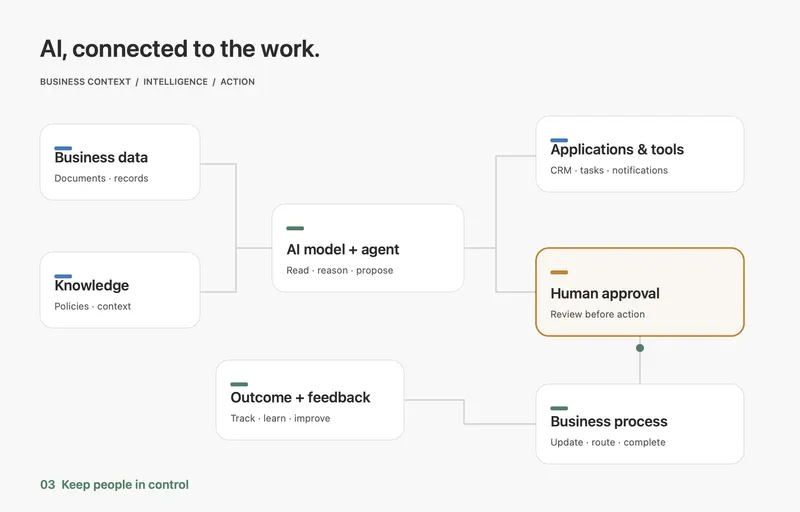
Animated workflow connecting business data and knowledge to AI, applications, human approval, and feedback
Intelligence connected to the work.

What we build

Four connected capabilities. Shaped around the work your business needs to do.

Agents & workflow automation
01 / 04

Agents & workflow automation

Connect AI reasoning to tools, approvals, and actions across your business systems.

Discuss this use case
Knowledge & decision support
02 / 04

Knowledge & decision support

Retrieve relevant business knowledge, search approved sources, and support decisions with context.

Discuss this use case
Copilots & conversational AI
03 / 04

Copilots & conversational AI

Build assistants that help employees and customers complete tasks through natural conversation.

Discuss this use case
Document & data intelligence
04 / 04

Document & data intelligence

Extract, classify, and summarize business information, with uncertain results routed for review.

Discuss this use case

Where AI creates value

See how AI can support customers, simplify operations, and help teams make informed decisions.

Customer speaking to an assistant through a smartphoneCustomers

Customers

Help every conversation move forward.

Questions, new enquiries, and setup tasks can leave customers waiting for the right person.

AI helps
Help find relevant answers, classify enquiries, and guide onboarding.
People review
Your team handles exceptions, sensitive requests, and decisions that require judgment.
  1. 01Enquiry
  2. 02AI assistance
  3. 03Team review
  4. 04Response
More consistent assistance, with a clear route to a person.Discuss this workflow

A WORKFLOW IN PRACTICE

From invoice to approved action.

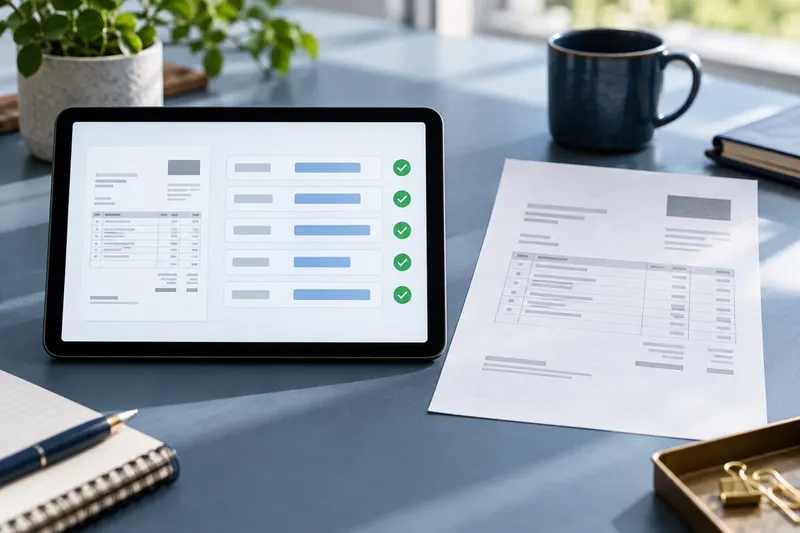
An example of how AI-assisted document processing could work. The exact rules and integrations depend on your business.

  1. Receive the input
    01

    Receive the input

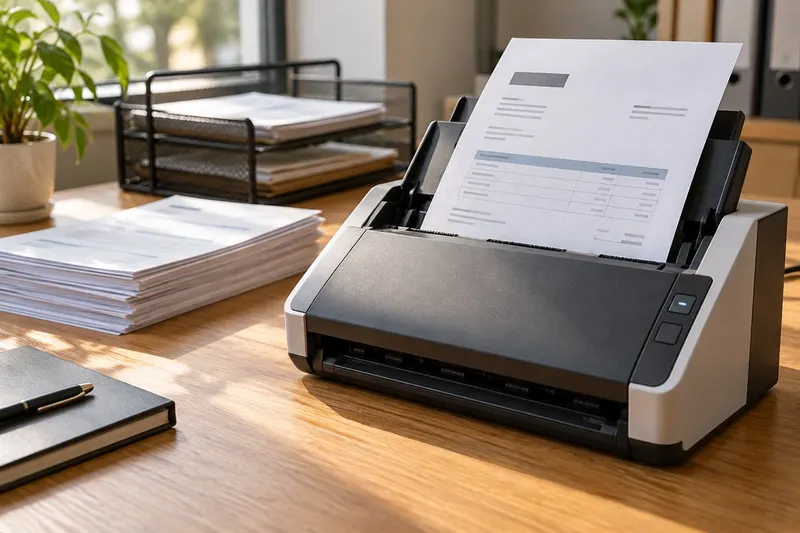
    An invoice arrives through an agreed upload or inbox, together with the purchase-order data available to your team.

  2. Extract and compare
    02

    Extract and compare

    AI extracts supplier, amount, and line-item details. Validation checks compare them with the source document and business rules.

  3. Review exceptions
    03

    Review exceptions

    A reviewer sees extracted fields alongside their source. Missing details, mismatches, and uncertain results stay in a review queue.

  4. Take an approved action
    04

    Take an approved action

    After approval, the integration creates or updates a draft record in the finance system and records the outcome. Payment authorization stays within your existing controls.

Useful AI needs clear boundaries.

Evaluation and controls belong in the design. Their implementation is defined around the workflow’s risks and agreed scope.

Ground & verify

Check the work against representative examples and make supporting information easy to inspect.

  • Agreed test cases and acceptance criteria
  • Reviewable source references
How it works

Evaluate answer quality, extraction errors, and failed actions separately. Where retrieval is used, show source references so a reviewer can inspect the underlying information. A citation helps review; it does not guarantee correctness.


Control & approve

Define what the system can access and which decisions need a person before action.

  • Role-based data and tool access
  • Explicit approval for sensitive actions
How it works

Agree permissions, credential handling, and the actions automation may take. For sensitive or irreversible decisions, show the proposal and relevant context to an authorized reviewer, who can approve, reject, or correct it.

Monitor & recover

Give uncertain results and operational failures a clear path to review and recovery.

  • Exception routing and fallback behavior
  • Monitoring and change evaluation
How it works

When evidence is missing or validation fails, ask for clarification, abstain, or route the task for review. Plan appropriate logs and monitoring, accounting for privacy and retention. Re-evaluate when models, prompts, data, or business rules change.

Start with one useful workflow.

Bring a process that creates repetitive work or slows decisions. We can define a focused assessment before deciding what to build.

Process mapping workshop materials

WORKFLOW ASSESSMENT

Find the right starting point.

Map the process, review available data and integrations, and identify where AI adds value compared with simpler automation.

  • Workflow map and constraints
  • Data and access requirements
  • Proposed scope and evaluation criteria
  • Recommendation for a pilot or an alternative approach
Discuss an assessment
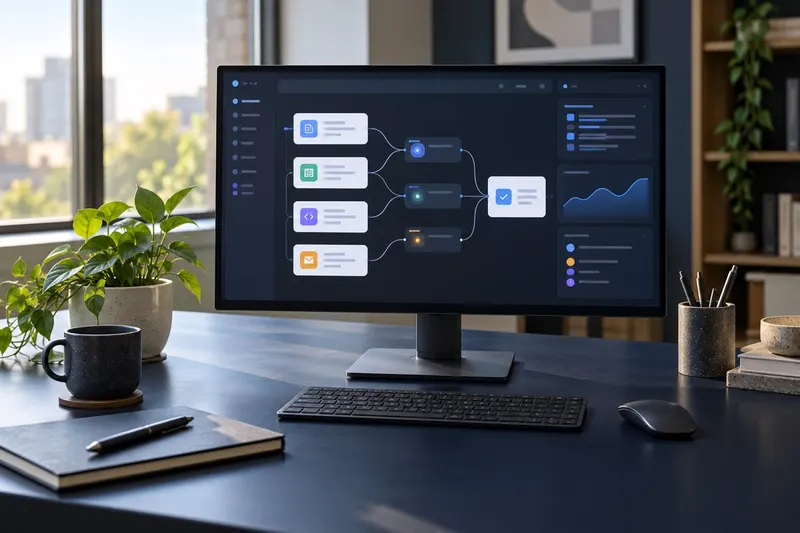
AI prototype and evaluation workspace

FOCUSED PROOF OF CONCEPT

Test the idea before scaling it.

Where appropriate, test one agreed workflow using representative examples and a limited set of integrations.

  • A bounded prototype or demonstration
  • Evaluation against agreed test cases
  • Documented limitations and operating costs
  • Production-readiness gaps and next-step recommendation
Scope a proof of concept

Deliverables, access requirements, timing, and fees are agreed before work begins. A proof of concept is a validation step; production deployment requires a separate readiness review.

From AI idea to production system.

KNAYK can support the journey from discovery and AI strategy through architecture, proof of concept, implementation, integration, deployment, monitoring and optimization.

  1. 01

    Discover

    Understand the workflow, available data, users, and operational constraints.

    Workflow brief and success criteria
  2. 02

    Validate

    Test a bounded approach against representative examples and review its limits.

    Evaluation findings and a go-forward recommendation
  3. 03

    Build & integrate

    Connect approved data and tools, implement controls, and test the end-to-end workflow.

    Integrated pilot and agreed acceptance checks
  4. 04

    Launch & improve

    Review readiness, agree operational ownership, and learn from monitored performance.

    Release plan and ongoing evaluation priorities

Practical questions. Clear next steps.

What data do we need to get started?

Start with representative examples of the work, the desired outcome, and the rules people currently follow. We assess availability, quality, permissions, and whether sensitive data can be minimized or replaced with suitable test data.

Can this work with our existing systems?

We first review available APIs, authentication, vendor restrictions, and data exchange options. Access approvals or additional licenses may be needed. The integration approach is agreed before implementation.

Which AI model would you use?

Model selection depends on task quality, latency, cost, deployment constraints, and data handling requirements. A focused evaluation can compare suitable options; there is no single model assumed for every workflow.

Will our business data be used to train a model?

This depends on the selected provider, deployment configuration, and contractual terms. Data usage, retention, and access requirements need to be reviewed and agreed before business information is sent to a service.

How do we know the output is reliable enough?

Define acceptance criteria around the actual task, test representative cases, and inspect failure modes. Use validation and human approval where needed. AI outputs can be incorrect, so the workflow needs an explicit exception path.

What determines the cost?

Scope, data preparation, integration complexity, evaluation, and deployment needs affect build cost. Ongoing costs can include model usage, infrastructure, monitoring, and support. These are assessed for the proposed approach rather than quoted as a universal price.

What happens after launch?

Monitoring, maintenance, model or prompt changes, and further improvements can be scoped as ongoing work. Support coverage, escalation, operational ownership, and re-evaluation responsibilities are agreed explicitly.

Can we see a relevant demo or case study?

Contact us with the workflow you want to improve so we can discuss what relevant material is available to share. The invoice example and workflow animation on this page explain an approach; they are not client case studies or measured performance results.

Have an AI use case in mind?

Tell us about the workflow, problem or opportunity. We'll help assess where AI and automation can create practical value.

Discuss Your Use Case
Read the privacy policy